Cgroups V2 Resource Limits for Sandboxed Processes
Cgroups v2's unified hierarchy makes resource limits on sandboxed processes actually enforceable.

Cgroups v2 gives every process exactly one cgroup inside one hierarchy, and that single design choice is what makes resource limits on sandboxed workloads actually trustworthy. Under cgroups v1, each controller, cpu, memory, blkio, kept its own separate tree, so a single process could sit at different spots in different trees at once. That produced odd mismatches: a CPU limit applied under one parent and a memory limit applied under a different parent, with no guarantee the two trees lined up the way an operator assumed they did. Limits could look correct on paper and still fail to hold a process to the resources it was supposed to get.
The unified hierarchy fixes this by collapsing everything into one cgroup directory per process subtree. That directory holds every controller knob a given sandboxed process needs: cpu.max, cpu.weight, memory.max, memory.high, memory.swap.max, io.max, pids.max, all sitting side by side. One might argue this is a small organizational tidy-up, but the consequence runs deeper: when CPU, memory, and I/O limits live in the same place for the same process, an operator can reason about them together instead of cross-checking two or three separate hierarchies and hoping the parents line up. That is the structural shift the rest of this piece builds on.
But what if a controller simply doesn't apply, even when it's sitting right there in the directory? This is where most limit failures start, and it has nothing to do with the number written into a file. Cgroups v2 requires explicit, hierarchical enablement: a controller has to be listed in a parent's cgroup.subtree_control before any child cgroup underneath it can use that controller. If that step is skipped, a memory.max value can be set in a child cgroup looking perfectly valid while the kernel never enforces it, because the parent never granted that controller down the tree. That single missed step, more than any miscalculated number, is the most common reason operators believe they've capped a process and discover later that they haven't. The next section treats each controller file as something to be deliberately turned on, not just written to.
The six controller files that do the actual work
Knowing that a controller has to be enabled is only half the job. Knowing what each enabled controller actually does once it's live matters just as much, because these files are not interchangeable, and treating them as if they were leads to one of two failures: a process gets OOM-killed during a legitimate, temporary spike, or soft pressure never gets applied at all and a slow leak runs unchecked until something harder breaks.
Start with CPU. cpu.weight sets a relative share of CPU time, ranging from 1 to 10000 with a default of 100, and it only does anything once there's contention for CPU on the host. A cgroup with a higher weight gets proportionally more CPU than one with a lower weight, but only when both are actually competing for cycles. On an idle host, any cgroup can burn well past its assigned weight, because there's nothing else asking for CPU at the same time. That makes cpu.weight the wrong tool for a hard ceiling. For a sandboxed process that must never exceed a fixed slice of CPU regardless of what else is running, cpu.max is the correct instrument; cpu.weight is for shaping how CPU gets split under load, not for capping a single process on its own.
These four tiers govern memory in increasing order of strictness. memory.max is the hard ceiling: cross it, and the kernel first tries aggressive reclamation, and if that doesn't free enough, the OOM killer steps in, but only within that cgroup's own members, so a runaway process takes itself down rather than the whole host. memory.high sits below that as a soft throttle: once usage crosses this line, the kernel starts reclaiming memory aggressively from the cgroup, which slows new allocation without killing anything. This is the right tool for back-pressure, the mechanism that makes a process feel resistance before it ever reaches the hard wall. memory.low works in the other direction, as a protection floor: under global memory pressure on the host, the kernel deprioritizes reclaiming memory from a cgroup below this value, and Docker's --memory-reservation flag writes this value too, though its primary effect lands on memory.high. memory.min goes further still: it's an absolute floor the kernel will not reclaim under any condition, and if no other reclaimable memory exists anywhere on the host, the OOM killer fires instead of touching protected memory below that line. Because memory.min can starve every other cgroup on a busy host if it's set carelessly, it calls for restraint.
Then there's the gap that catches the most operators off guard: swap. memory.swap.max controls how much swap a cgroup can use, and its default is max, meaning unlimited. If a hard memory.max is set without touching memory.swap.max, a process under memory pressure doesn't hit the wall where you expect it to. It swaps instead, continuing to run, continuing to degrade host performance, for as long as swap space holds out, because nothing is stopping it. Setting memory.swap.max to 0 disables swap for the cgroup entirely, which is the only way to guarantee memory.max behaves like the ceiling it looks like on paper.
Two more files round out the control surface. io.max sets per-device bytes-per-second and IOPS ceilings, and it requires naming the specific block device the limit applies to; io.weight, by contrast, sets relative I/O priority under contention, the same proportional logic as cpu.weight applied to disk access. pids.max caps the number of processes a cgroup can spawn, and it's the primary defense against fork bombs: a sandboxed workload with CPU and memory fully constrained can still exhaust the kernel's PID table and take the whole host down if nothing caps how many processes it's allowed to create.
Cgroups v2 also builds in the visibility to tell whether any of this is working before something breaks. memory.events reports counters for low, high, max, oom, and oom_kill events, so an operator can see whether a cgroup has been quietly throttled under memory.high long before it ever reaches a hard kill. Pressure Stall Information, exposed per cgroup through cpu.pressure, memory.pressure, and io.pressure files, gives averaged stall fractions over rolling 10-second, 60-second, and 300-second windows. That's a sharper early-warning signal than host load average, because it shows how much time processes in a specific cgroup actually spend stalled waiting for a specific resource, rather than a single blended number for the whole machine.
How to apply limits via systemd, Docker Compose, and raw cgroup directories
All six of those controller files are reachable through three operational paths in practice: systemd unit properties, Docker Compose, and direct writes to the cgroup filesystem. Each path reaches the same underlying kernel knobs, but each one has its own quirks around what persists, what gets delegated, and what gets silently dropped on the floor.
Systemd is the most direct route for anything already running as a service. A command like [systemctl set-property <service> MemoryMax=1G MemorySwapMax=0](https://oneuptime.com/blog/post/2026-03-04-use-cgroups-v2-to-limit-cpu-and-memory-for-individual-processes/view) applies immediately and persists across reboots, because systemd writes it to a drop-in file under /etc/systemd/system.control/. Adding --runtime to that command makes the change temporary instead, gone at the next reboot. Systemd slice units extend this further by letting an operator group several services together and cap the group as a whole: every service inside a custom slice shares one combined CPU quota and one memory ceiling, and no individual service inside that slice can exceed what the slice itself allows. For visibility, systemd-cgtop shows real-time CPU, memory, and I/O per cgroup, and systemctl status reports current resource use for a given service without needing any extra tooling installed. For processes that aren't managed as systemd services at all, the raw filesystem path still works: create a directory under /sys/fs/cgroup/, write the controllers needed into the parent's cgroup.subtree_control, then move a running process into it by writing its PID into cgroup.procs.
Docker Compose and Docker run reach the same controllers, phrased through different flags. Setting --memory-swap to the same value as --memory disables swap for the container, because Docker translates that into memory.swap.max set equal to zero under cgroups v2. By default, with --memory-swap left unset, the container can swap up to twice its memory limit. If the cgroup controller a given Docker flag depends on isn't present on the host, Docker drops the limit silently, more than any flag syntax detail. There's no hard error, though in some cases Docker surfaces a warning along the lines of "Limitation discarded." This is the single most common reason a limit looks correctly set in a Compose file, survives a deploy, and still never actually fires on the running container. The only reliable way to know a limit is real is to check it directly: find the container's cgroup path, either under /sys/fs/cgroup/system.slice/docker-<container-id>.scope/ when the systemd cgroup driver is in use, or under /sys/fs/cgroup/docker/<container-id>/ when the cgroupfs driver is in use, and read the controller files themselves.
Rootless Podman adds one more layer to this picture. It can create and manage cgroups for its own processes through user-level cgroup slices, but it only has access to whichever controllers the host has explicitly delegated to that user's subtree. That raises an important question for anyone running sandboxed workloads without root: how does an operator know, ahead of time, which controllers are actually available to enforce? Checking the runtime's declared capability profile before relying on any limit it claims to apply answers that question, and a limit the runtime can't actually enforce is a reason to refuse the launch. That delegation boundary, what's available to a non-root user and what isn't, is exactly where the production failures in the next section start.
Where cgroups v2 limits fail in production: the failure modes operators hit first
Correct configuration is necessary, but it isn't sufficient. The failure modes that actually hurt sandboxed workloads in production aren't typos or forgotten flags, they're structural gaps where a limit is set correctly, accepted without complaint by the runtime, and still fails to contain a runaway process because it's enforcing the limit at the wrong scope.
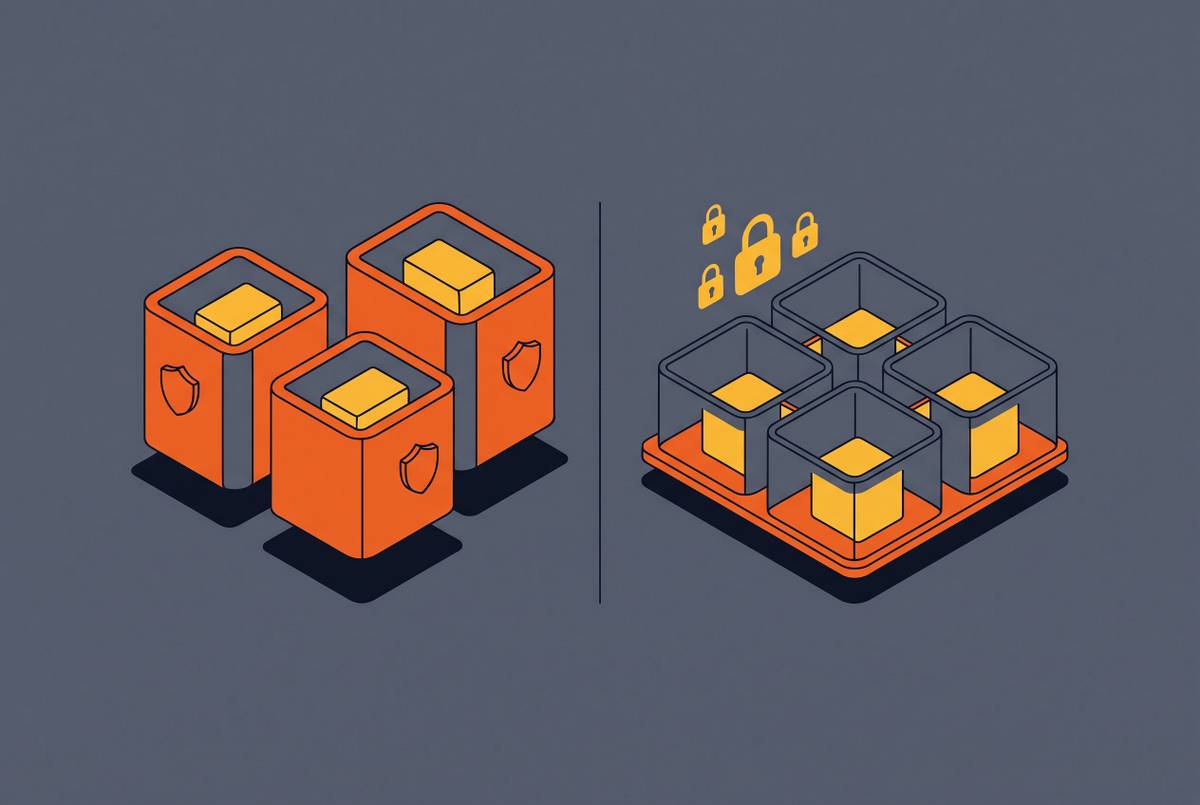
The clearest version of this is the shared-boundary failure. When multiple sandboxed process trees share a single container's cgroup, capping the address space of any one process inside that tree does nothing to stop the aggregate of all of them together from exhausting the container's overall memory.max budget. One runaway process in that shared tree can trigger an OOM kill that takes down every other sandbox sharing that same boundary, even the well-behaved ones that never came close to their own individual limit. TracecatHQ ran into exactly this in production: agent sandboxes were sharing the executor container's memory boundary, so one misbehaving agent could sink every other agent running alongside it. The fix delegated the container's cgroup v2 subtree once, at worker startup, and then gave each individual agent sandbox its own child cgroup with its own independent memory.max budget, set through TRACECAT__AGENT_SANDBOX_MEMORY_MB and defaulting to 4,096 MiB, with swap disabled on each child cgroup. Worker concurrency was then clamped to however many sandboxes could fit inside the container's own overall limit, minus a reserve held back for overhead. A runaway session now OOMs alone, leaving its neighbors unaffected. This fix required root-side delegation of the cgroup subtree before the worker process dropped down to a less privileged user; if that delegation step is missing, worker startup fails rather than quietly falling back to the old shared-boundary behavior.
Swap produces a second failure mode that looks completely different on the surface but comes from the same root cause: a limit that's technically set but doesn't actually bound what it claims to bound. Without memory.swap.max explicitly set to 0, a container or process can swap up to the system's full swap capacity, since memory.swap.max defaults to unlimited. That means the hard memory limit an operator thinks is protecting the host fires much later than expected, if it fires at all in any meaningful sense, and a process that should have been killed keeps running, keeps degrading the host, for as long as swap holds out. TracecatHQ's sandbox addresses this by disabling swap outright on every sandbox cgroup. The kraft sandbox takes a related approach, setting --memory-swap equal to --memory wherever the underlying runtime supports that, and explicitly recording the cases where it can't.
The third failure mode is the quietest and arguably the most dangerous, because it gives no indication anything is wrong. Docker discards a limit outright when the cgroup controller it depends on isn't present on the host, printing nothing more than a warning in the best case. Rootless Podman, under some configurations, reports zero available controllers to delegate. An operator who trusts a Compose file or a Podman invocation without going back and checking the actual controller files on disk has, in those cases, no limits in effect whatsoever, while every dashboard and config file suggests otherwise. That gap between what a configuration file claims and what the kernel is actually enforcing is the pattern that runs through every failure mode in this section: the limit exists in writing, but not in force.
That gap is why operators running sandboxed workloads need to treat cgroups v2 as a jurisdiction with edges, not a blanket guarantee. The controller files in the second section, the operational paths in the third, and the production failures here all point to the same conclusion: a limit only holds if it's enabled at the right level of the hierarchy, scoped to the right process tree, and verified against the actual files in /sys/fs/cgroup. Where that jurisdiction ends, other isolation primitives, whether namespaces, seccomp, or a separate virtualization boundary, have to pick up the rest of the work. Cgroups v2 can make a resource ceiling real. It cannot make a promise true on its own.